Price and MRP
The selling price, the MRP and the discount between them.
Stock Monitoring reads your catalogue from Amazon.in on the schedule you set, and shows what changed since the run before.
Stock Monitoring
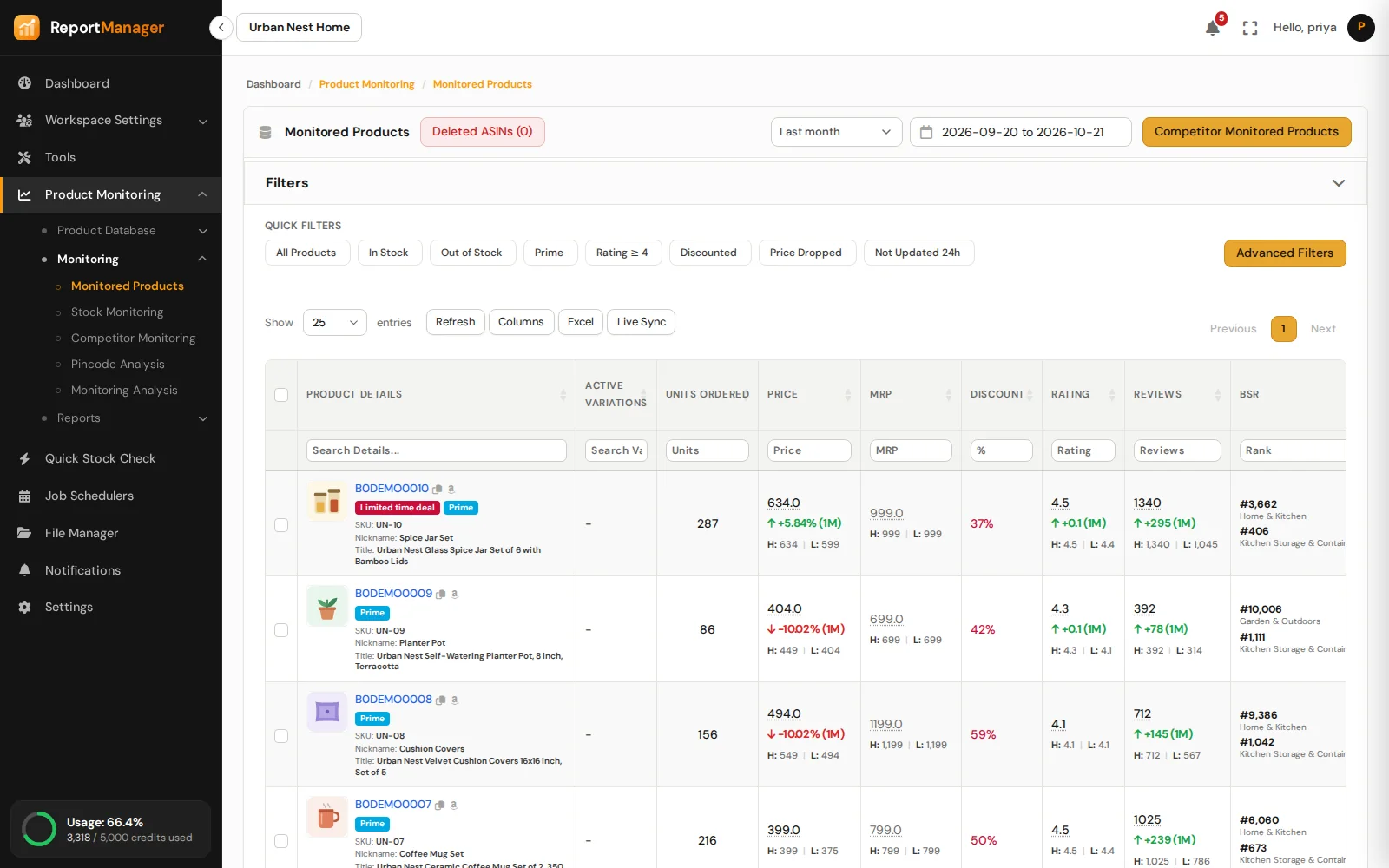
Price, MRP, stock, deals, rating, reviews, Best Sellers Rank and Buy Box for your whole catalogue, read on the schedule you set and compared with the run before.
The selling price, the MRP and the discount between them.
In stock, out of stock, or unavailable while another variation is active.
Limited time deals, named sale events, Prime and Best Seller badges.
The star rating and the number of reviews.
The rank in every category Amazon lists the product in.
Whether your seller name holds the Buy Box, or which competitor does.
How it works
Choose products or a product group from your Product Database.
Start the run, or schedule it hourly, daily, weekly, monthly or by cron. You see the requests and credits it needs before it starts.
Open Monitored Products or the report of the run: every change since the last run is marked.
Good to know
Product Monitoring
Watch the listings you compete with.
Delivery promise, pincode by pincode.
Check any ASIN on the spot.
The catalogue at a glance.
Where you win and where you lose.
Every run leaves a report.
Get started
Create an account, add your ASINs and schedule the first run.