Stock health
How much of the catalogue is in stock, out of stock or unavailable.
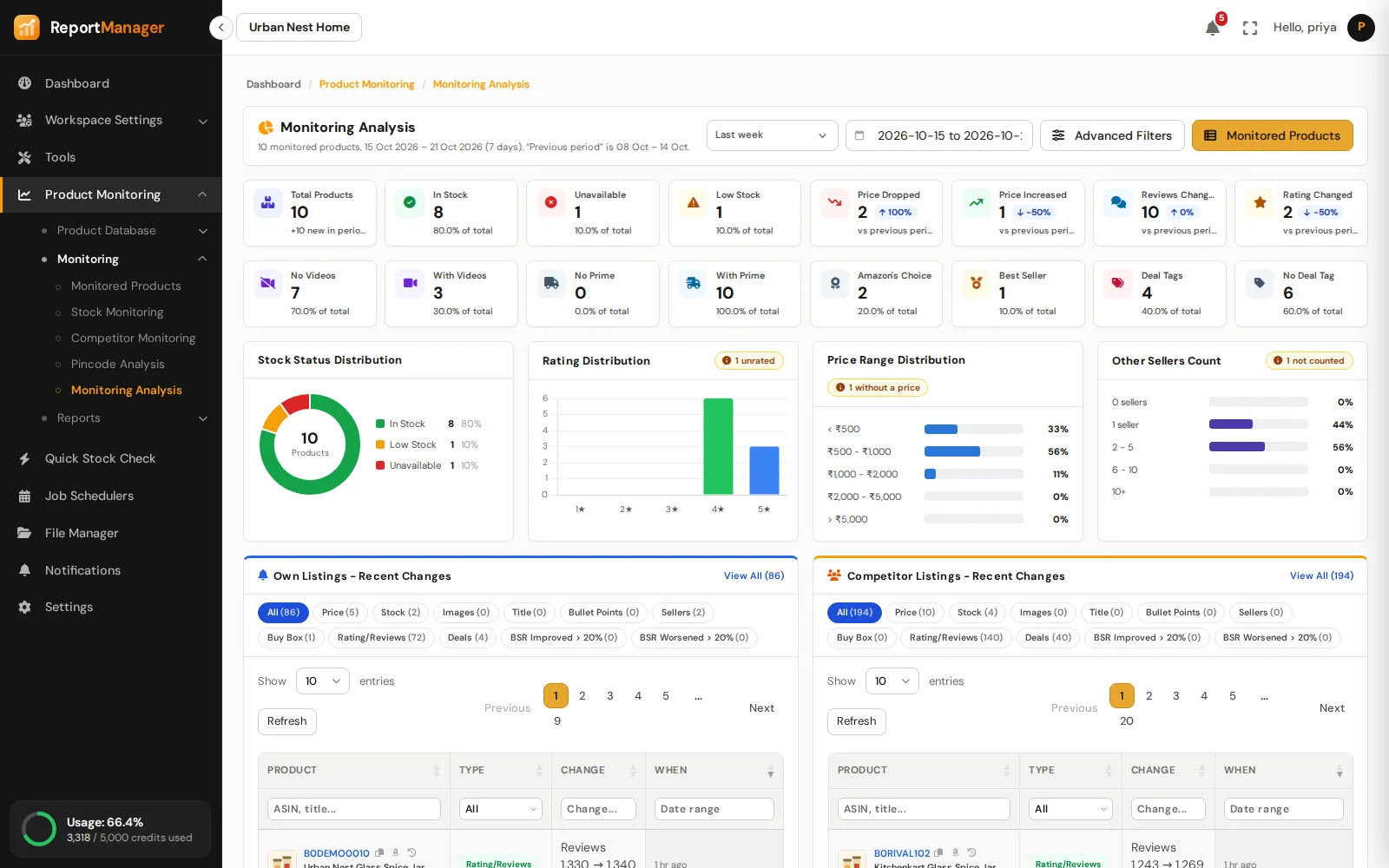
Monitoring Analysis sums up every monitored product: stock health, how prices, ratings and reviews moved, and the latest changes on your own and competitor listings.
Monitoring Analysis
Stock health, price, rating and review movement, deals and badges, and the latest changes on your own and competitor listings.
How much of the catalogue is in stock, out of stock or unavailable.
Price, rating and review changes over the period, against the period before.
Prime, badges, deals and media across your listings.
How your products spread across price, rating and more.
The most recent changes on your own and competitor listings.
The same advanced filters and date range as Monitored Products.
How it works
One week, one month, three months, or any range you choose.
Every stat card opens the list of products behind it.
Each ASIN links to its analysis page, its history and its Amazon listing.
Good to know
Product Monitoring
Know the state of every listing.
Watch the listings you compete with.
Delivery promise, pincode by pincode.
Check any ASIN on the spot.
Where you win and where you lose.
Every run leaves a report.
Get started
Create an account, add your ASINs and schedule the first run.